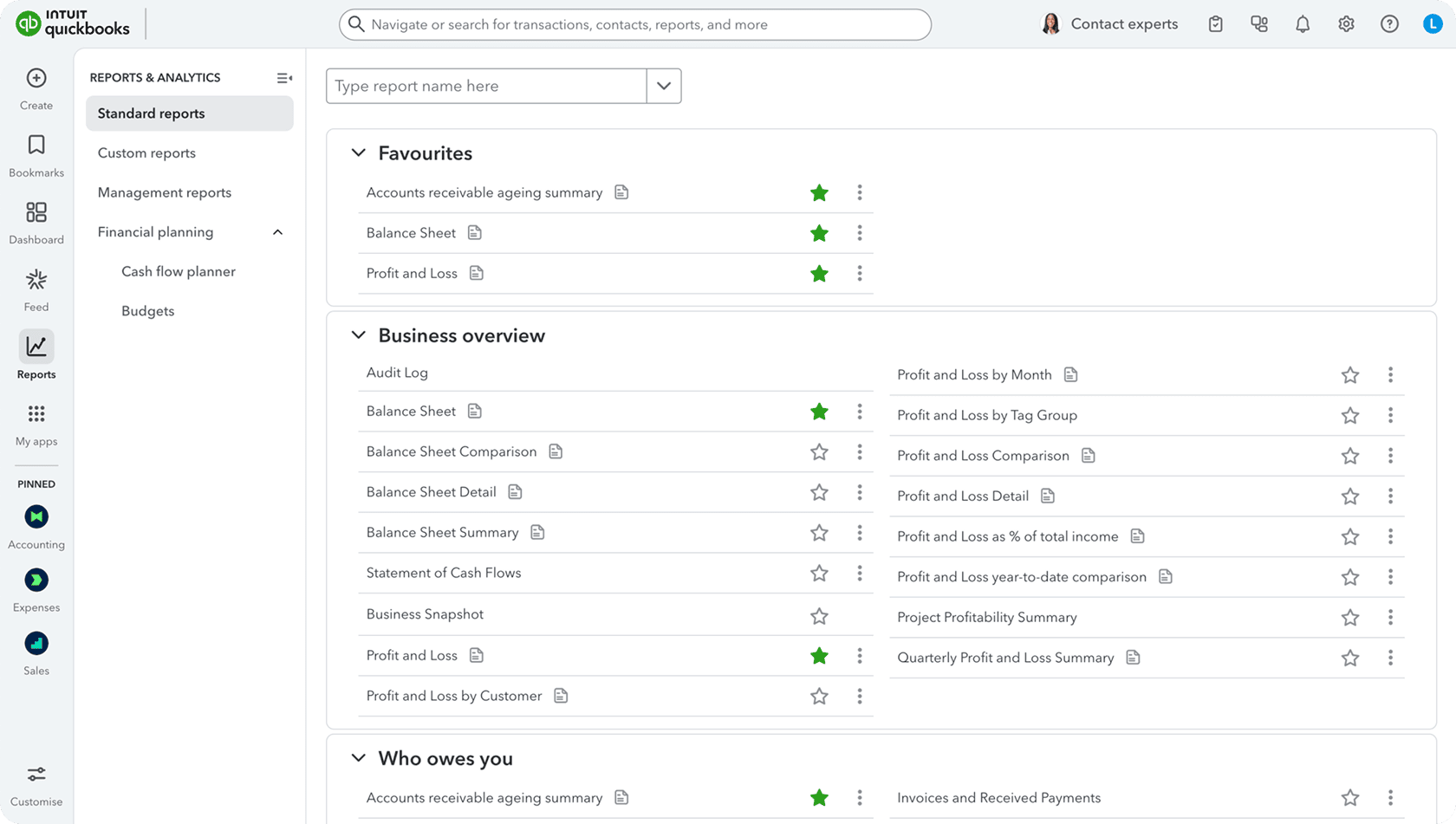
A QuickBooks bookkeeping service for UK businesses.
Keep your QuickBooks Online company as it is. Every UK working day, we clear the bank feed, match receipts, enter bills and keep your records ready for VAT and month-end.
What a QuickBooks bookkeeper does for you each working day.
QuickBooks Online pulls in bank transactions and reads receipts. Someone still has to check every line, decide where it belongs and chase what’s missing. That is the work we take off your desk.
BANK FEEDS
Clearing the For review tab.
Your bank and card feeds drop new transactions into Banking, under the For review tab. We work through it every UK working day. Each line is matched to an existing invoice, bill or receipt, or added to the right account with the right VAT rate. Anything we can’t place with confidence is sent to you as a question, not guessed.
Bank and card feeds checked daily
Matches confirmed against invoices, bills and receipts
BANK RULES
Rules that save time, checked by a person.
For regular payments like rent, subscriptions, fuel or bank charges, we set up or tidy your bank rules so QuickBooks suggests the right category. Rules can also post the wrong thing quietly, so we check what each rule has done and adjust it when a supplier or cost changes.
Bank rules created for repeat payments
Rule results reviewed, not assumed
RECEIPTS AND MATCHING
Receipts captured and matched to payments.
Receipts reach QuickBooks from the mobile app, your QuickBooks receipt email address or the finance inbox we agree to monitor. We check the supplier, date, amount and VAT on each one, then attach it to the matching bank transaction. If you use Dext or Hubdoc too, we work in those. When a payment has no paperwork, we follow it up.
Documents attached to the right transaction
Missing receipts and invoices followed up
BILLS AND EXPENSES
Bills, expenses and supplier records in order.
Supplier invoices you pay later are entered as bills, so your payables show what you really owe. When the payment leaves the bank, we match it to the bill rather than recording the cost twice. Card purchases and one-off costs go in as expenses, and credit notes sit against the right supplier.
Bills entered with due dates and VAT
Payments matched to bills, not double counted
VAT-READY RECORDS
Records ready for your VAT return.
QuickBooks Online builds your VAT return from the VAT code on each transaction, so the return is only as good as those codes. We apply the right rate as we go, check VAT against each receipt and watch for zero-rated, exempt and overseas purchases. Under Making Tax Digital for VAT, returns go from software, so tidy daily records make that step simpler. Submitting the return is a statutory filing, quoted separately or handled by your accountant.
VAT codes checked on every transaction
Records kept VAT-ready through each quarter
CLASSES AND LOCATIONS
Tracking by class and location.
Some QuickBooks Online plans let you tag transactions by class or location, such as service lines or branches. If you use them, we apply your tags as we record each transaction, so your profit and loss by class or location stays useful. We keep to your current setup unless you ask us to change it.
Your existing classes and locations applied
Reports split the way you run the business
GETTING STARTED IN QUICKBOOKS
Invite us in. We take it from there.
You stay the owner of your QuickBooks Online company and your subscription. We work inside it with the access you give us.
01
Invite us as a user.
From the user settings in QuickBooks Online, you invite us with the access level you choose and can remove it at any time. Your subscription stays in your name.
A CLEAR HANDOVER
↗QuickBooks OnlineUser invited
✉Finance inboxScope agreed
You choose what we can access.
02
Review the setup and agree the routine.
We look at your chart of accounts, bank feeds, rules and VAT settings. We agree which inboxes we check and how questions reach you. If the books are behind, we plan the catch-up first.
YOUR EXISTING SETUP
qbQuickBooks+RReceipts+Email
One familiar way of working.
03
Daily work, then a clean month-end.
Each working day we clear the bank feed, post receipts and bills, and chase gaps. At month-end we reconcile each bank and card account to its statement in QuickBooks, review what’s owed and send your monthly financial summary.
Turnover gives your starting point. We review your records and workload, then agree one fixed monthly price, confirmed in your quote. One entity per package. Above £5 million, we quote individually.
FOR SMALL BUSINESSES
Essentials
ANNUAL TURNOVERUp to £150,000
Daily bookkeeping for sole traders, consultants and small businesses who want their time back.
Your QuickBooks subscription is your own and is paid separately. Catch-up work, tax returns, payroll and statutory filings are quoted separately. See full pricing details →
BEHIND IN QUICKBOOKS?
For review tab piling up? We’ll start there.
If your bank feed has built up or past months were never reconciled, we review the backlog first. We agree a separately quoted plan to bring QuickBooks up to date, then keep it moving daily. If you also use Dext for receipts, see our Dext bookkeeping service.
Do I need to change my QuickBooks plan or set up a new company?
No. We work in your existing QuickBooks Online company on the plan you already have. The subscription and any plan decisions stay with you.
How do you get access to my QuickBooks Online?
You invite us as a user from your QuickBooks Online settings and choose the access level. We also agree which finance inboxes or folders we can check for receipts.
Will you submit my VAT return from QuickBooks?
Our monthly packages keep your records VAT-ready, with the right VAT codes on every transaction. Submitting the return is a statutory filing, so it sits outside the monthly packages. We can quote for it separately, or your accountant can submit it from the records we keep.
Can I keep my accountant?
Yes. We handle the day-to-day bookkeeping. Your accountant keeps doing your year-end accounts and tax work, with up-to-date records ready.
How much does a QuickBooks bookkeeping service cost?
Essentials is £295 a month for turnover up to £150,000. Plus is £495 for £150,000–£500,000, and Managed is £795 for £500,000–£5 million. The final fixed monthly fee is confirmed in your quote.
LET’S TALK ABOUT YOUR QUICKBOOKS
Less time in QuickBooks. More time on your business.
Book a free 30-minute call. We’ll look at how you use QuickBooks Online and where your receipts arrive, then talk through a fixed monthly price. Prefer to talk now? Call 020 7123 9335, email [email protected] or message us on WhatsApp.